The future of fare payment with one reloadable contactless card offering a host of options for seamless travel and self-service flexibility.
Load Card
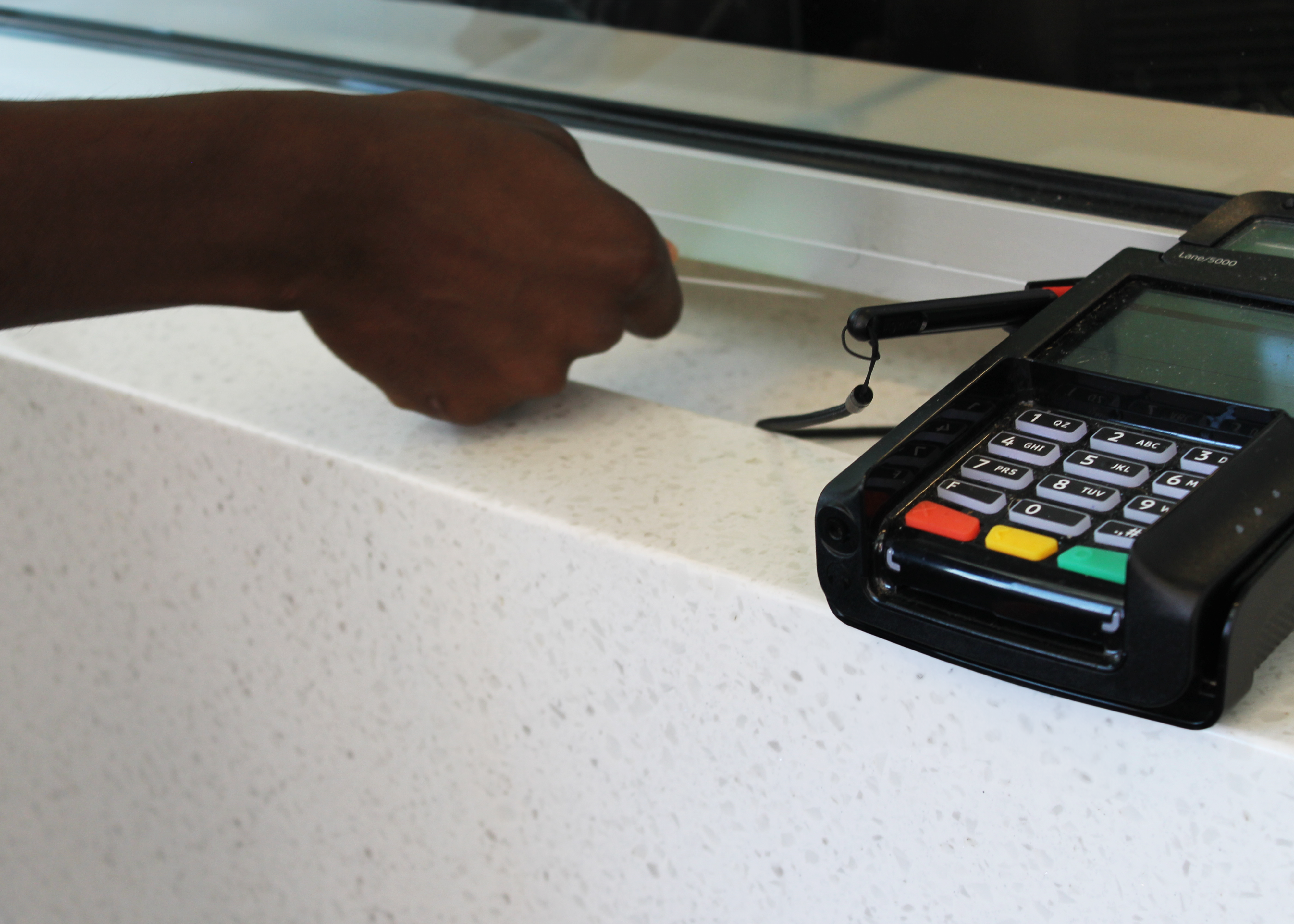
Load value online on the Ride Ready by GMT e-fares portal or add funds at the Downtown Transit Center and our administrative office in Burlington.
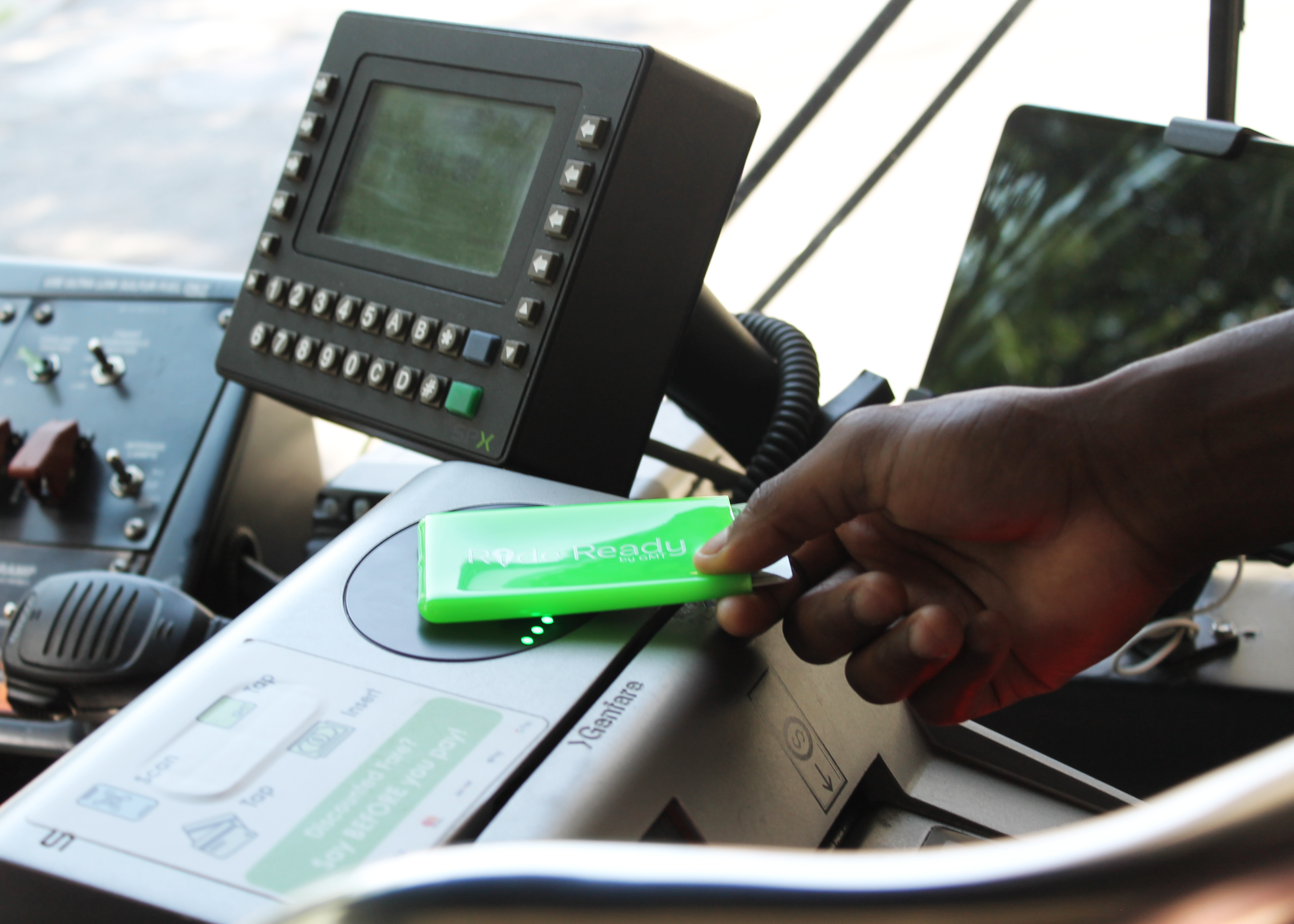
Tap to Ride
Simply tap your smart card to the contactless payment icon on the farebox to deduct fares from your account.
If you are paying for multiple riders let the driver know before you pay for them.
Manage & Protect Balance

When you register for a Ride Ready by GMT account, your account funds are protected if your card is lost or stolen.
You can also view your card activity and track your progress towards your monthly cap.
How to Use a Smart Card and the Ride Ready by GMT E-Fare Portal
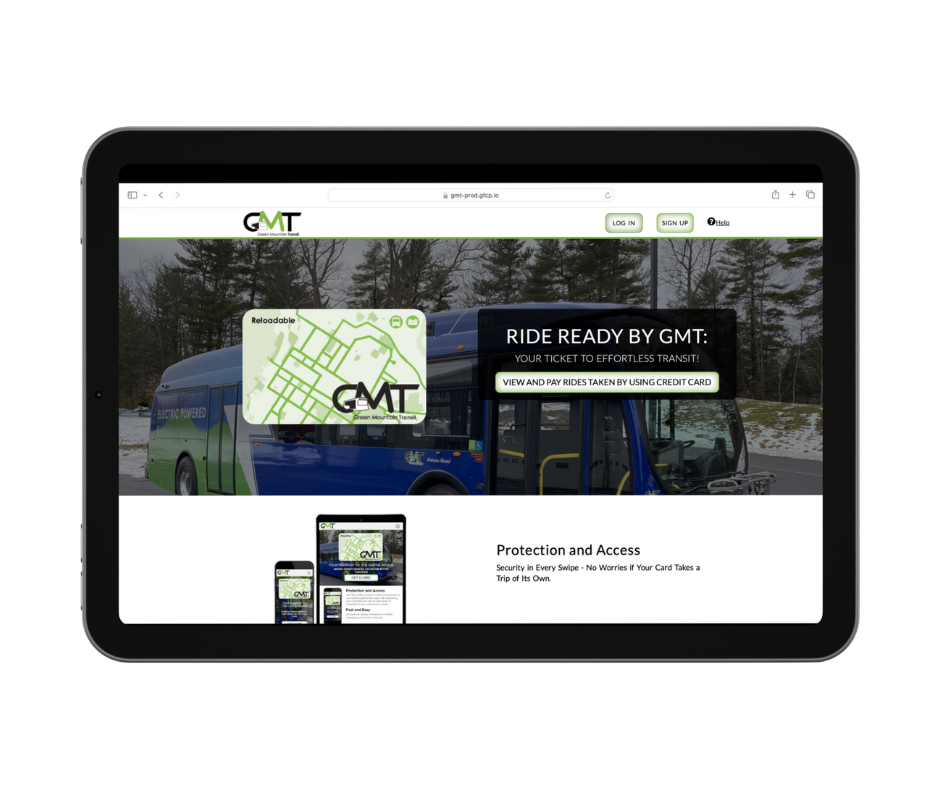
Navigate to the Ride Ready by GMT e-fares portal and select sign up.
Complete the form and click sign up. It’s that simple!
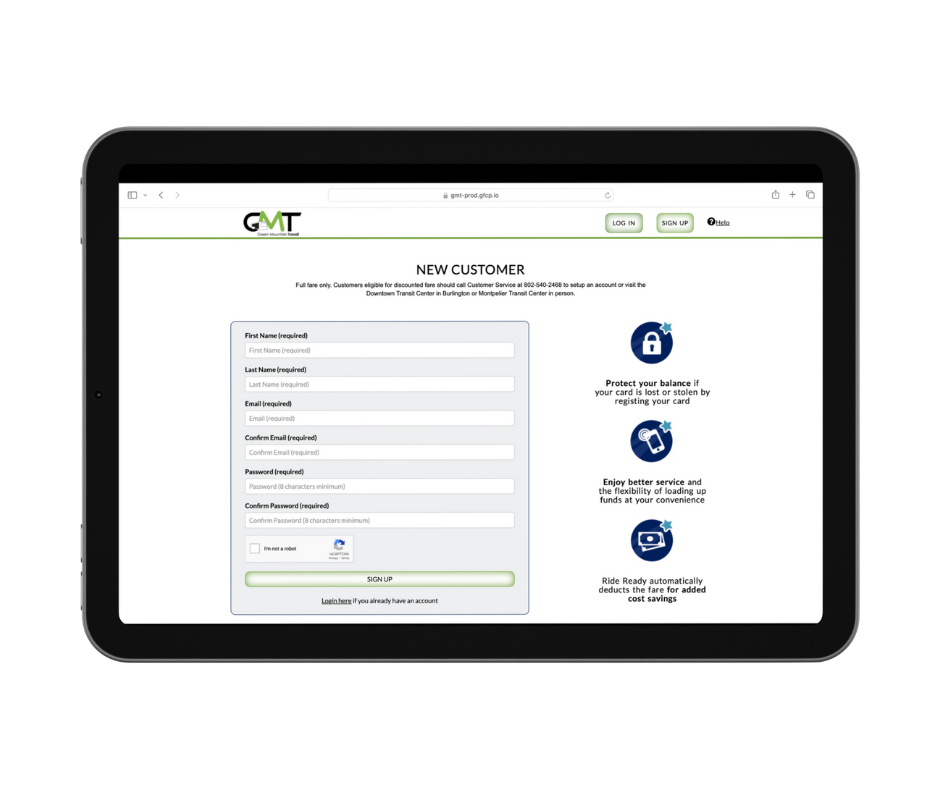
Please note: online account creation is for regular fare customers only. Customers eligible for discounted fares should call 802-540-2468, visit the Downtown Transit Center, or our administrative office in Burlington to create your account.
To learn more about discount eligibility, please refer to our Discount Fare Program.
If your account was created for you by a customer service representative, you can complete your account registration using the link sent to the email used to create your account.
Complete the registration form, including the creation of a strong password, click “Register,” and you’re good to go!
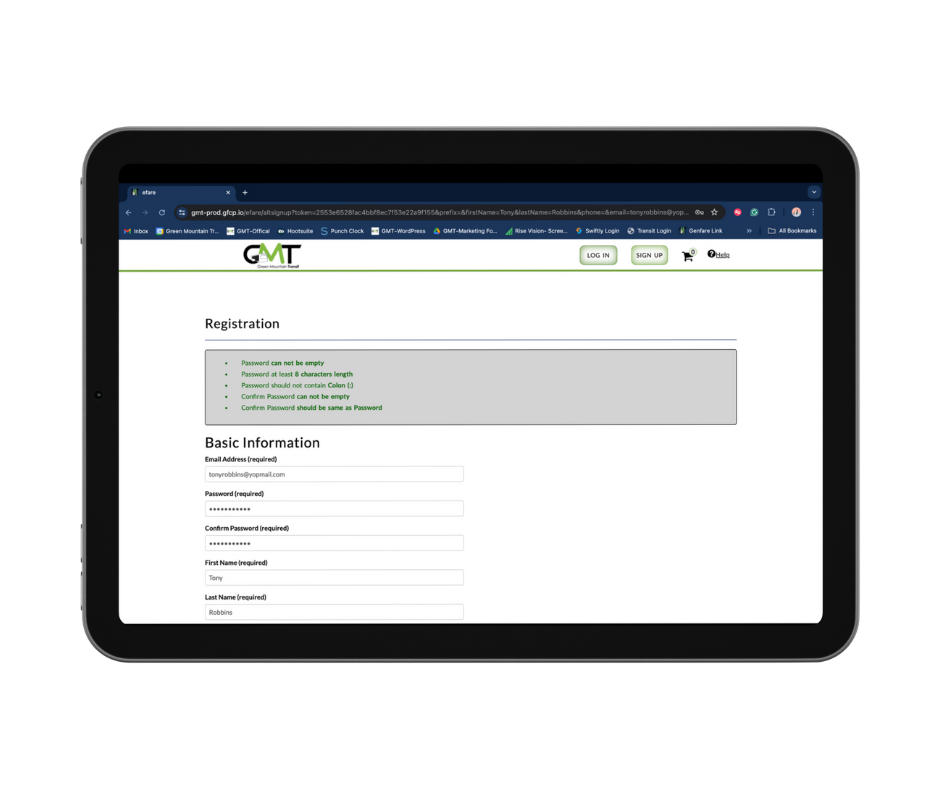
If your account registration link has expired, you can request a new link to be sent to you by emailing a request to info@ridegmt.com, calling 802-540-2468, or asking a customer service representative at the Downtown Transit Center or our administrative office in Burlington.
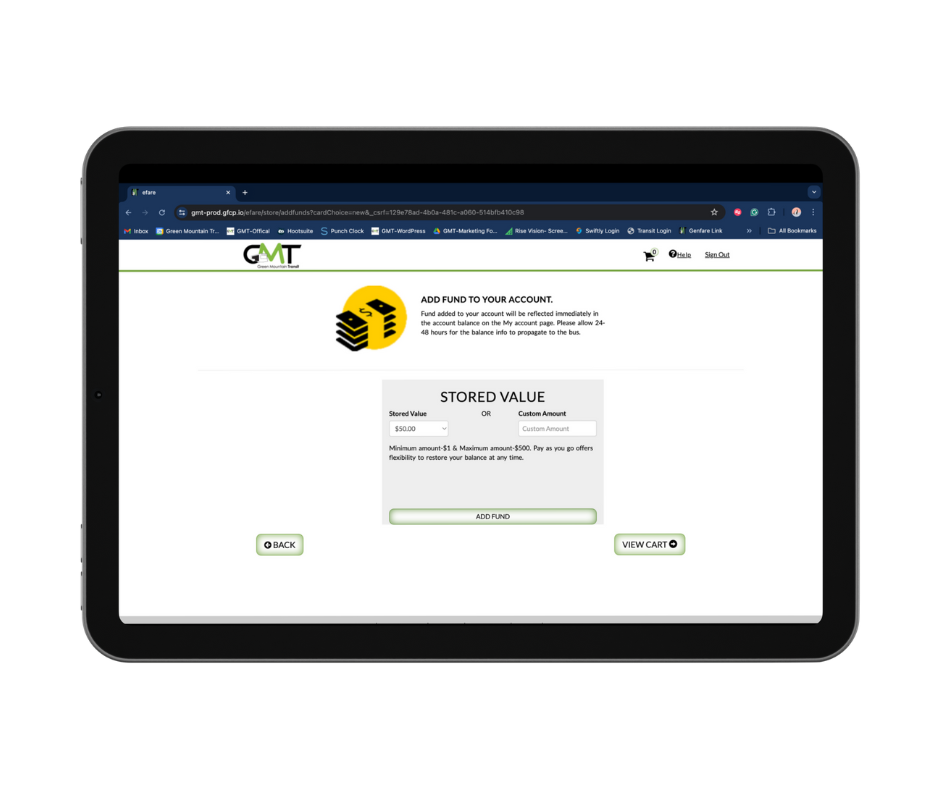
Next to your account balance in the “My Account” tab, select “Add Funds”.
You can also do this from “Card Details” as well.
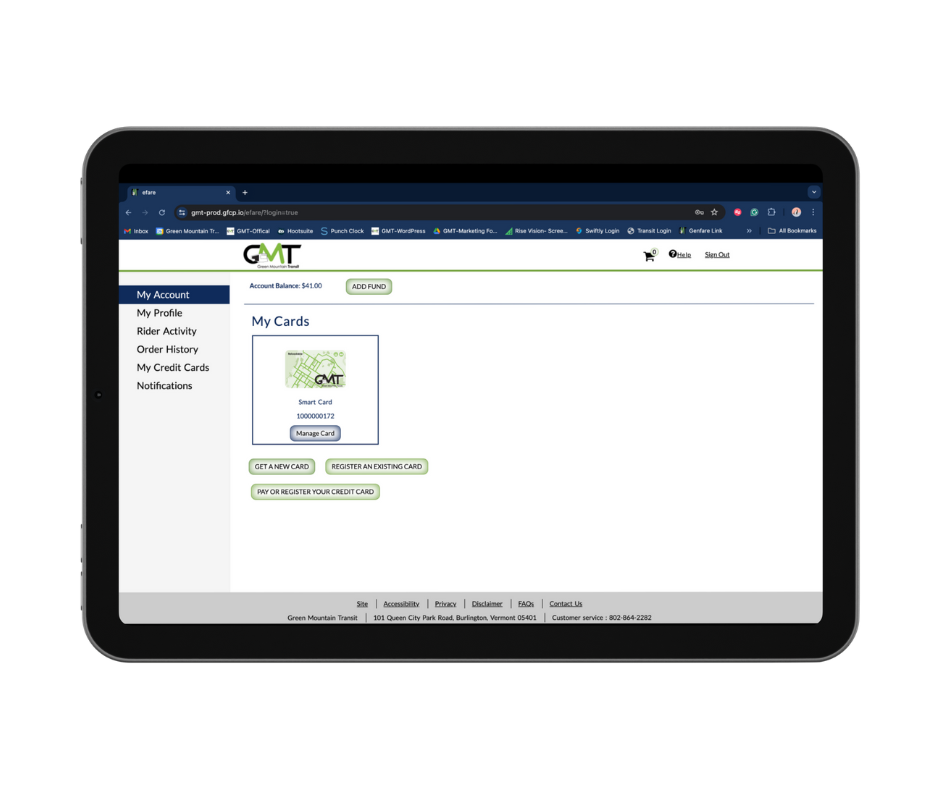
Select the amount of stored value you would like to add using either the drop down menu or inputing a custom amount up to $500 and click view cart.
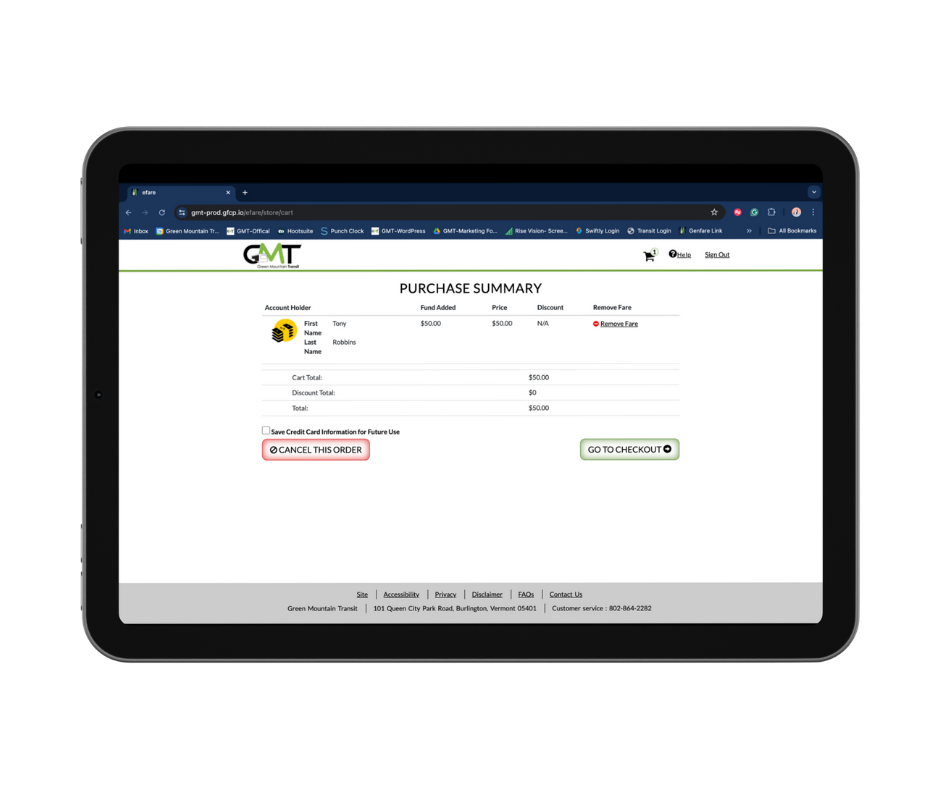
From the purchase summary, select “Go to Checkout.”
If you plan to use the same card to purchase fares select save credit card information for future use for faster checkouts.
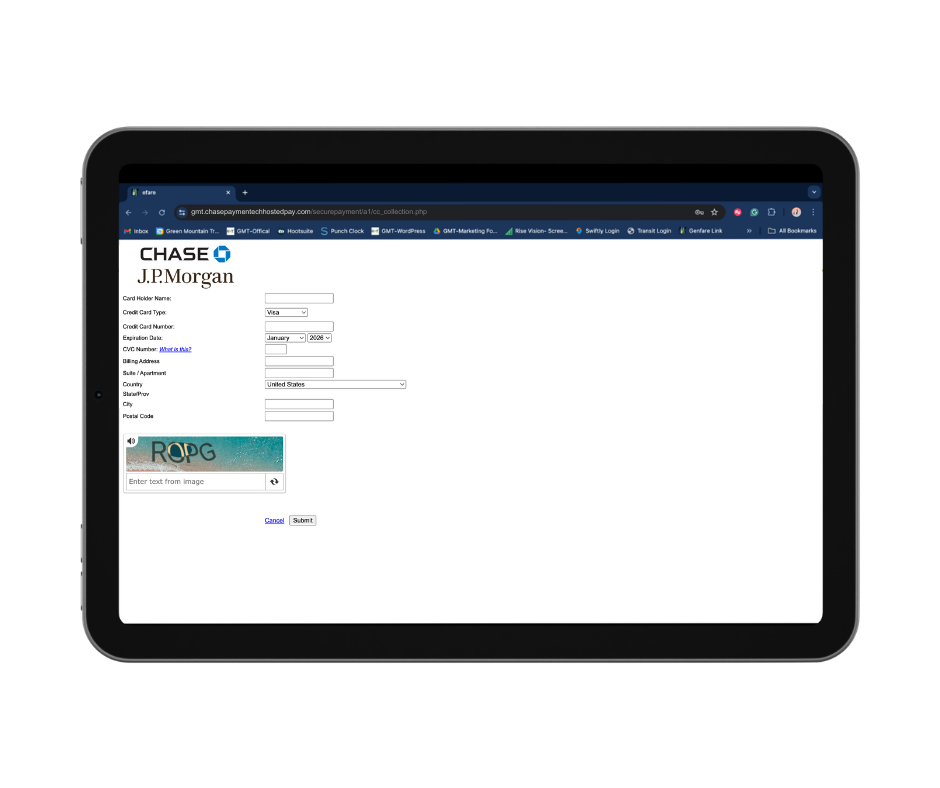
Input your card information and billing address in the Chase-hosted payment portal, complete the CAPTCHA, and click “Submit.”
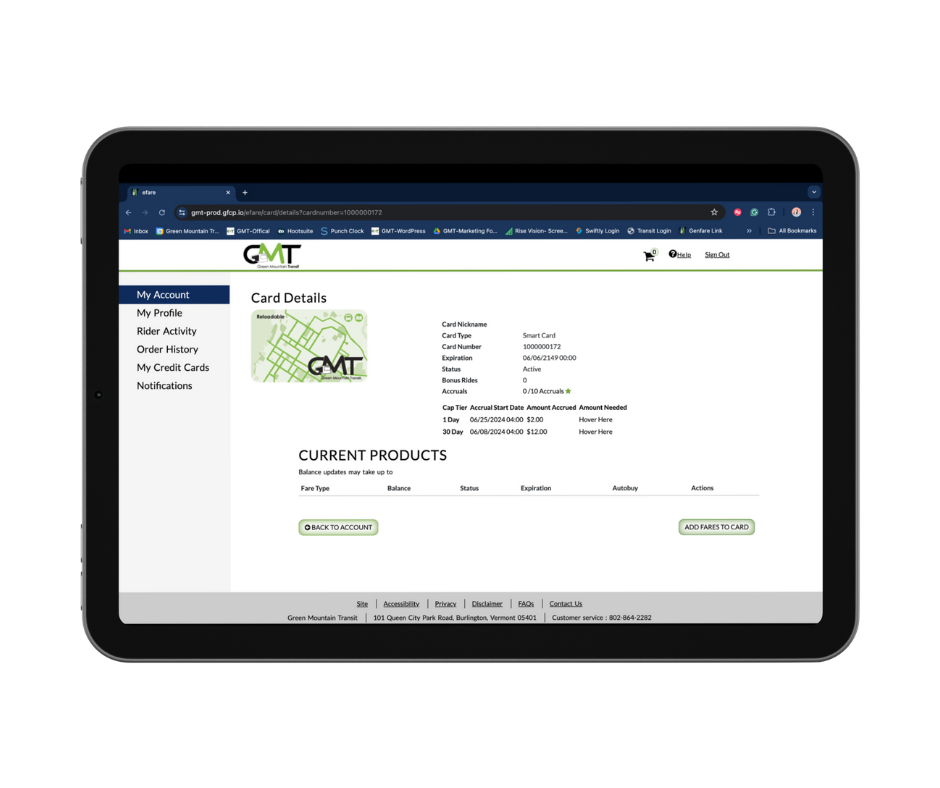
You can check your balance and progress toward the monthly cap from the Ride Ready by GMT e-fares portal, by calling 802-540-2468, asking a customer service representative at the Downtown Transit Center, or our administrative office in Burlington.
To manage your balance from the e-fares portal simply sign in.
To track your fare capping progress select manage card from “My Account” to view your card details.
Let the driver know you are paying for an additional rider and whether or not that rider is eligible for a discount, and tap your card. Don’t forget to pay for yourself first! Please note: fares paid for additional riders will not count towards your daily and monthly cap.
To learn more about discount eligibility, please refer to our Discount Fare Program.
You can order a GMT smart card through the Ride Ready by GMT e-fares portal or with a customer service representative at the Downtown Transit Center or our administrative office in Burlington.
To order a smart card through the e-fares portal, sign in or create an account if you have not done so already and select get a new card.
Select your shipping option, input your shipping information, and click ” Go to Check Out.”
Please note: if you select to have the card shipped to you directly, you will be brought to the Chase-hosted payment portal to complete your purchase.
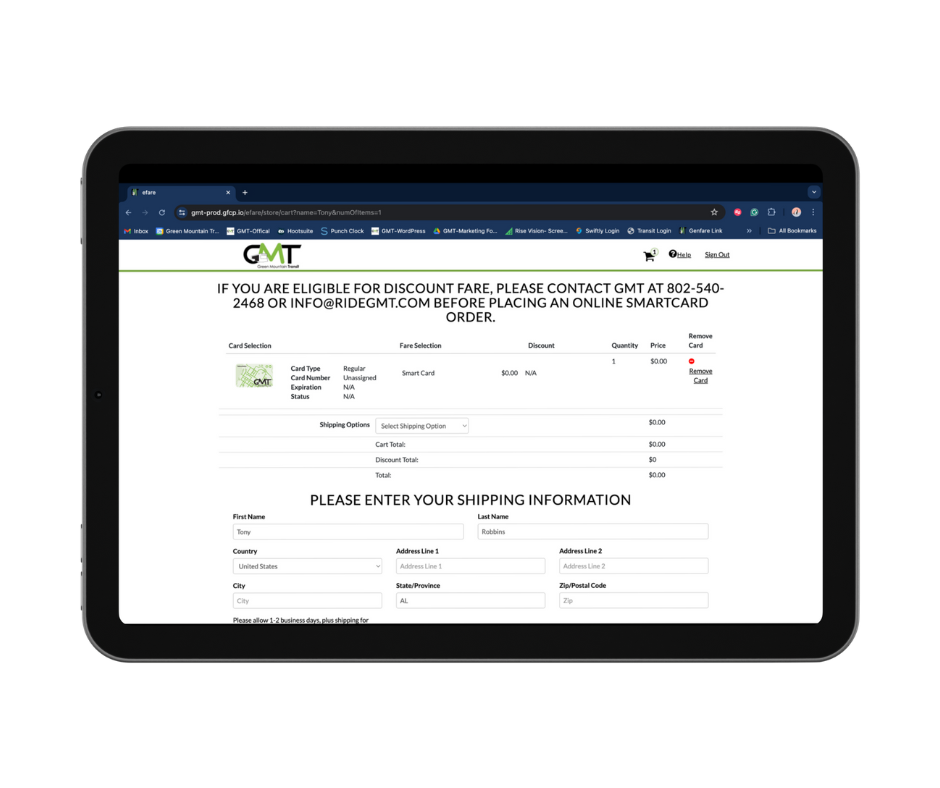
You will receive an email confirming your order once you have completed checkout. Please allow for 24-48 business hours, plus shipping when applicable, for all online orders.
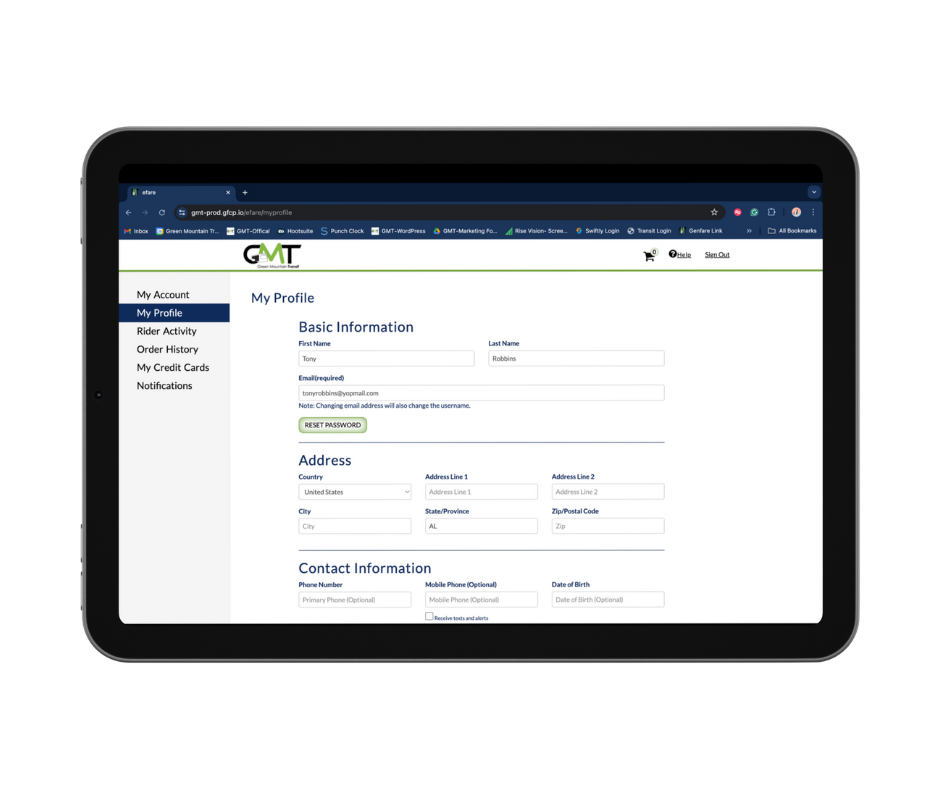
You can update your account information through the Ride Ready by GMT e-fares portal, emailing info@ridegmt.com, calling 802-540-2468, or with a customer service representative at the Downtown Transit Center, Montpelier Transit Center, and our administrative office in Burlington.
To update account information through the e-fares portal, simply sign in, select “My Profile”, update your information, and click “Submit” at the bottom of the page.
Please note: that updating your email will change the username of your account.
You can replace a lost or stolen card by emailing a request to Info@RideGMT.com, calling 802-540-2468, or asking a customer service representative at the Downtown Transit Center and our administrative office in Burlington.
Please note: There is a $5 fee to replace your smart card.
You can reset your password from the Ride Ready by GMT e-fares portal or by emailing a request to info@ridegmt.com, calling 802-540-2468, or asking a customer service representative at the Downtown Transit Center or our administrative office in Burlington.
To reset your password from the e-fares portal, select ” Login ” and click “Forgot Password.”
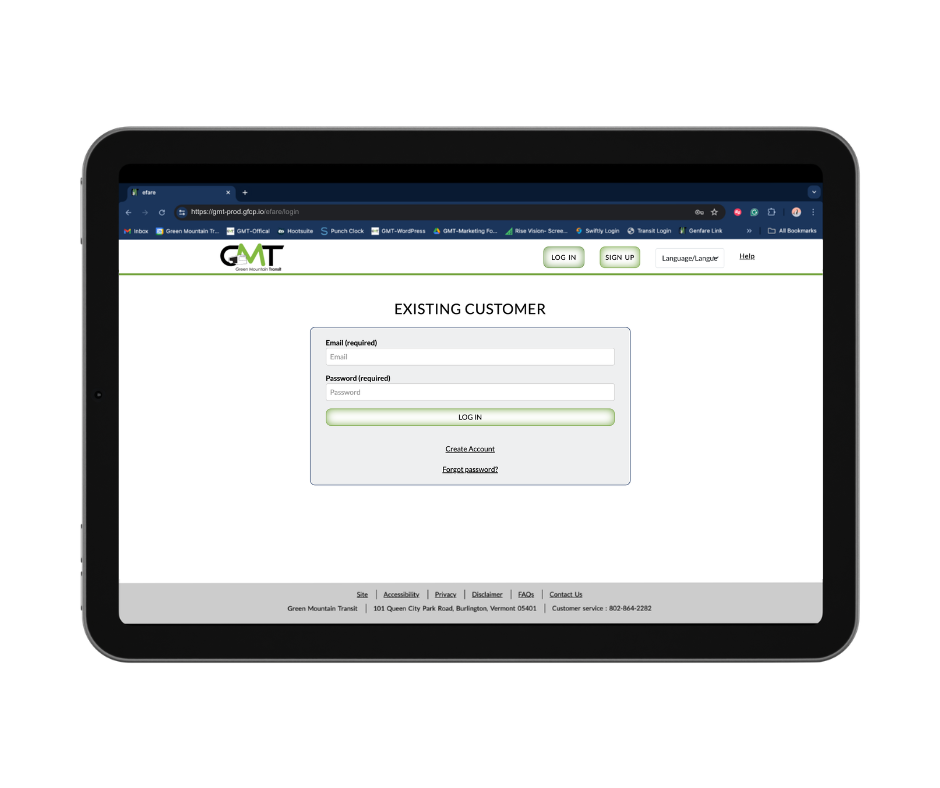
Enter the email address associated with your account and click “Send.”
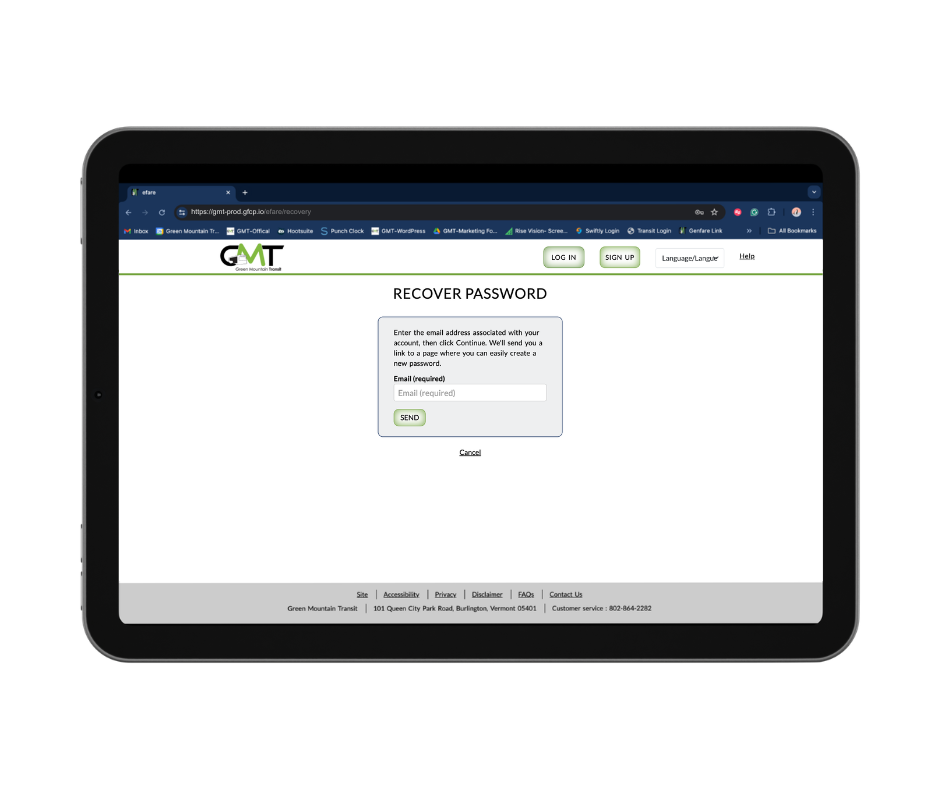
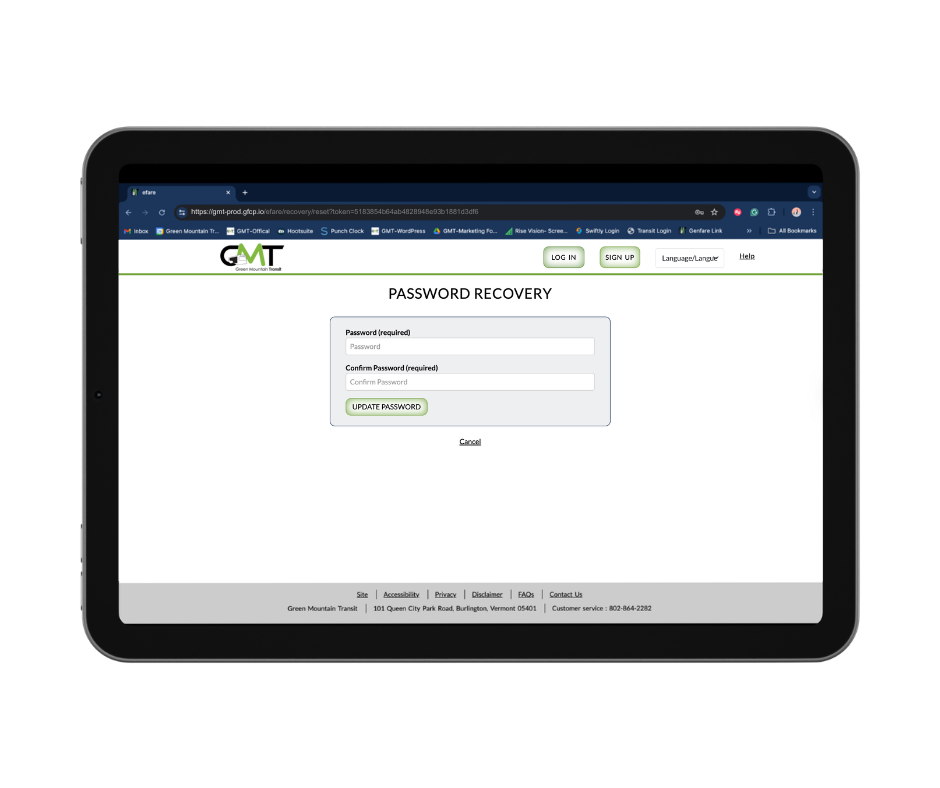
Instructions for resetting your password will be sent to your email. Click the link in the email to navigate to password recovery.
Create a password with at least 8 characters that includes at least one number, then click “Update Password.”
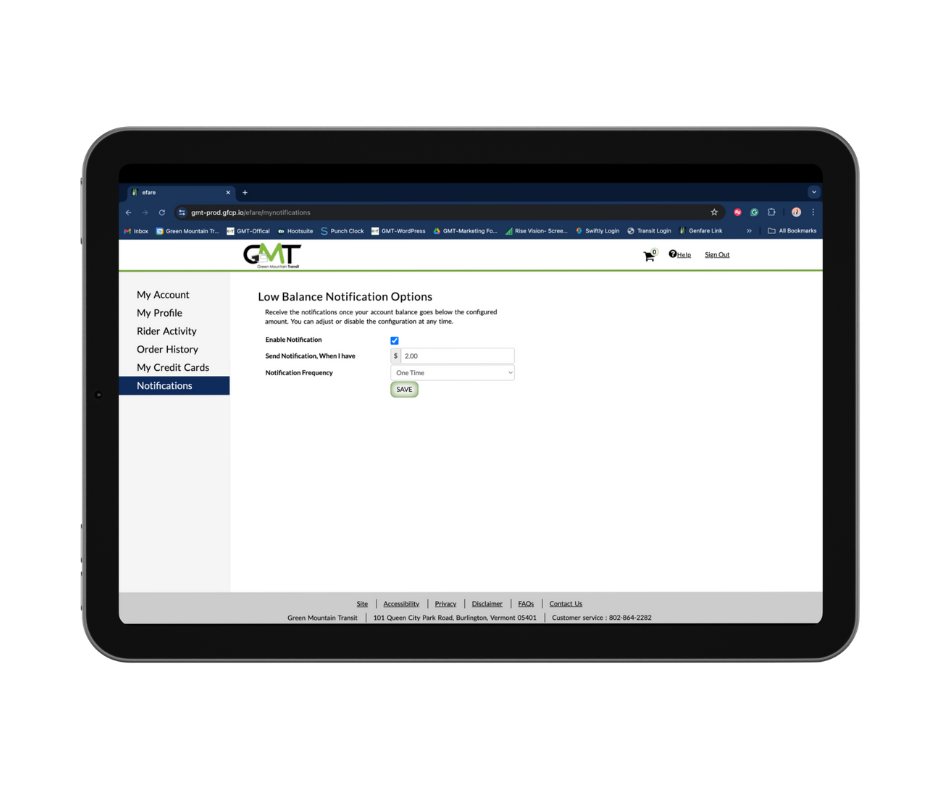
You can enable low balance and other important account notifications through the Ride Ready by GMT e-fares portal, by calling 802-540-2468, or by asking a customer service representative at the Downtown Transit Center or our administrative office in Burlington.
Sign in and select “Notifications”, check yes to enable, select the threshold and frequency you would like to receive them, and click save.
You can enable SMS notifications when completing your account registration or by updating your account with your mobile phone number.