All UVMMC employees can ride GMT buses fare-free—just use the Ride Ready by GMT app to activate your digital pass and scan it when boarding.
It’s an easy, sustainable way to get around the greater Burlington area—no parking pass or gas money needed.
Download RideReady by GMT


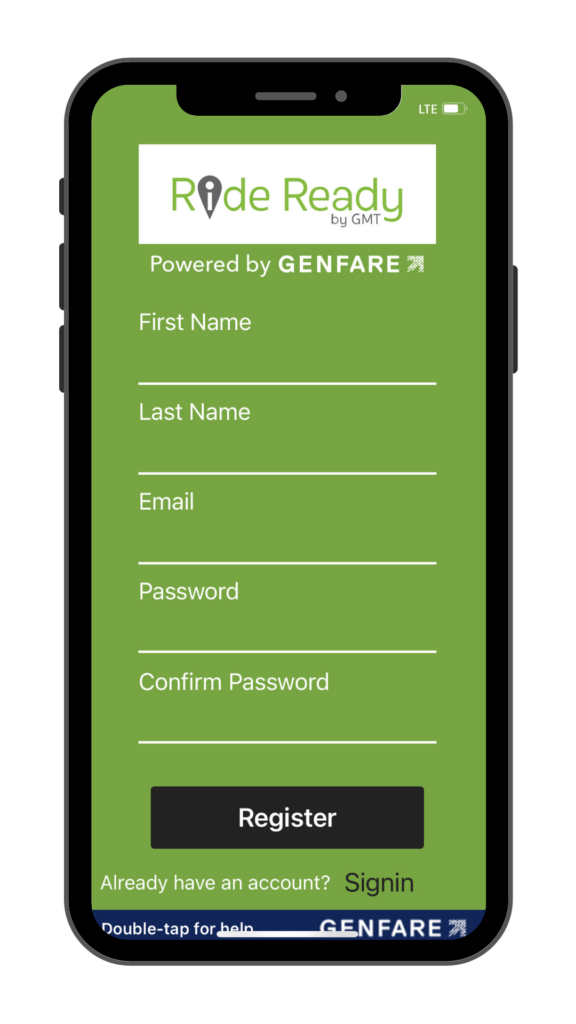
1. Register
2. Activate
3. Ride
1. Register
- Open the app and tap Sign Up
- Fill in the prompts, using your uvmhealth.org email
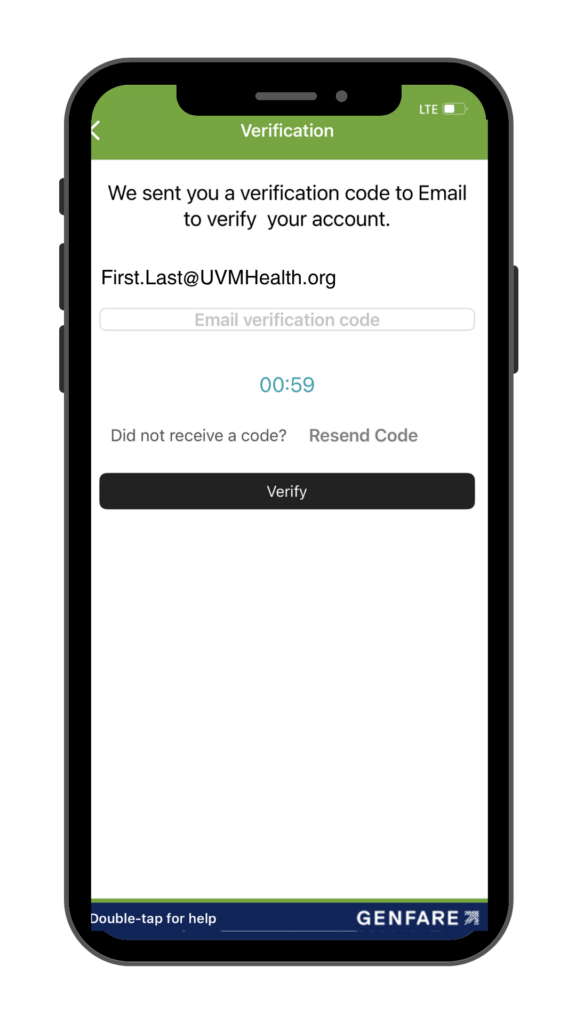
- Verify your account via email
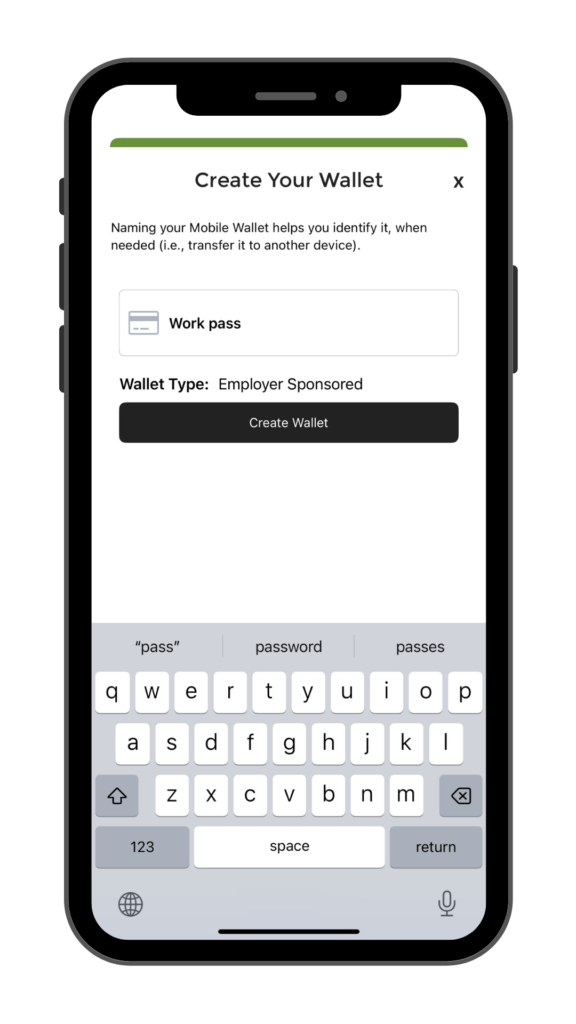
- Create your mobile wallet
Make sure to create a unique password for your account.
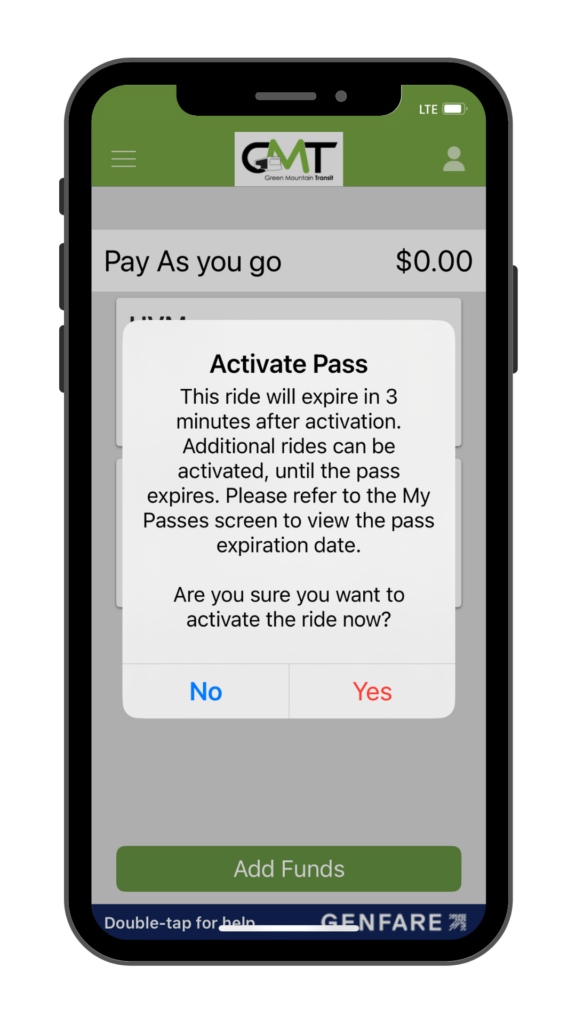
2. Activate
Activate passes anytime anywhere in seconds.
- Select your fare
- Tap yes to activate your pass
You have three minutes to use your pass once it’s activated.

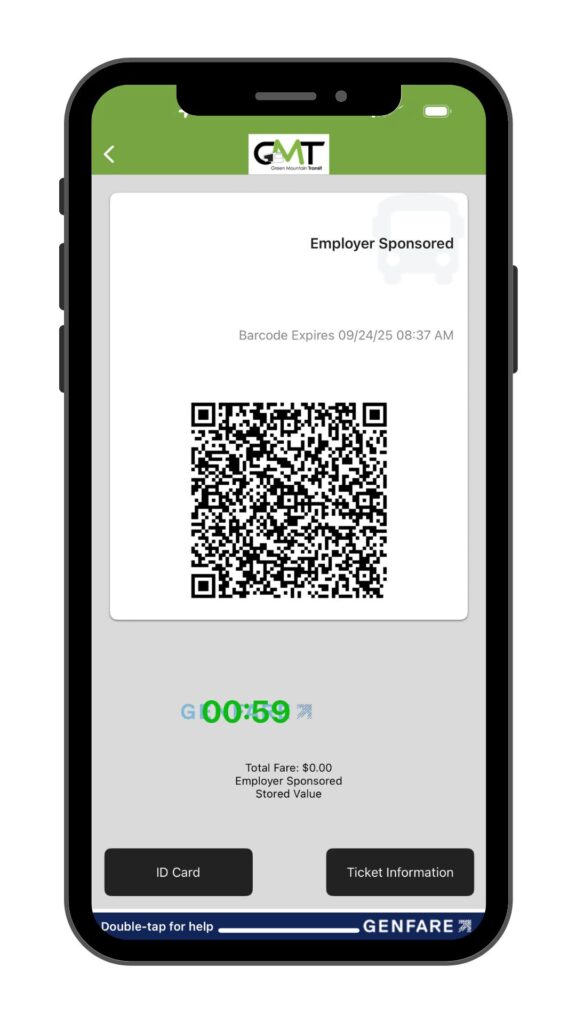
3. Ride
Simply, scan the barcode at the farebox and enjoy your ride.
Best Practices:
- Ensure your brightness is turned up
- Place your phone flat to the scanner
Frequently Asked Questions
Download the Ride Ready by GMT app from the App Store or Google Play Store.
Select “Sign Up”, complete the form using your uvmhealth.org email address, and tap “Register”.
A verification code will be sent to your uvmhealth.org email to confirm your account. Input the verification code sent to your email and tap “Verify.”
Once you’ve registered for an account, you will be asked to create a mobile wallet.
Before creating your wallet, confirm that your wallet type is set to Employer Sponsored. If it is not, contact us at 802-540-2468 or info@RideGMT.com.
Please note: your mobile wallet is attached to your device and cannot be transferred to another device without first releasing it.
University of Vermont Medical Center employees are enrolled in the program automatically by the Human Resources department.
Please note: It may take up to two weeks for recently hired employees to be enrolled.
Yes, employees can ride any Green Mountain Transit bus free of charge with their Ride Ready by GMT account.
If you have already created an account, you will see a notification in the Ride Ready app to create a new employer-sponsored wallet. If you have trouble, please contact GMT at 802-540-2468 or info@RideGMT.com.
If you are experiencing any trouble with the Ride Ready by GMT app, you should contact Green Mountain Transit at 802-540-2468 or info@RideGMT.com.
Individuals with the Ride Ready by GMT app should contact Green Mountain Transit at 802-540-2468 to have their mobile wallet released from their old phone for retrieval to their new device.
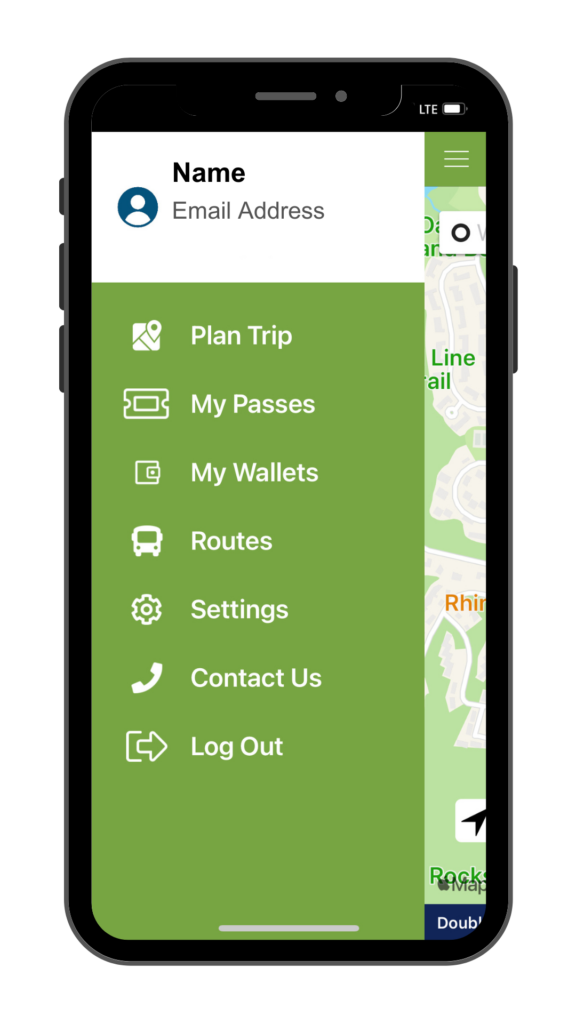
To retrieve a mobile wallet on your device, tap the menu icon in the upper left corner and select “My Wallets”.
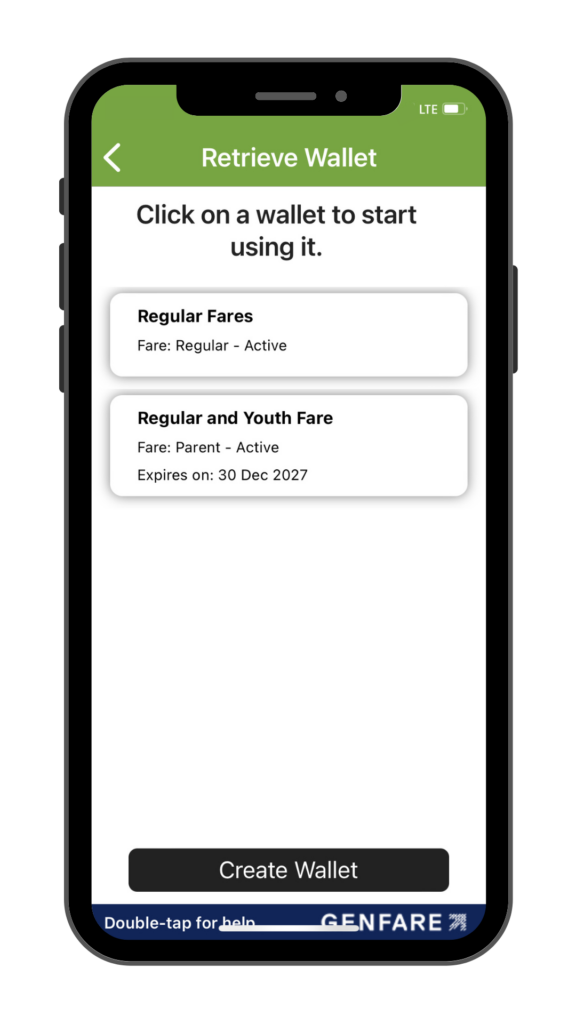
Select the mobile wallet you want to attach to your device.
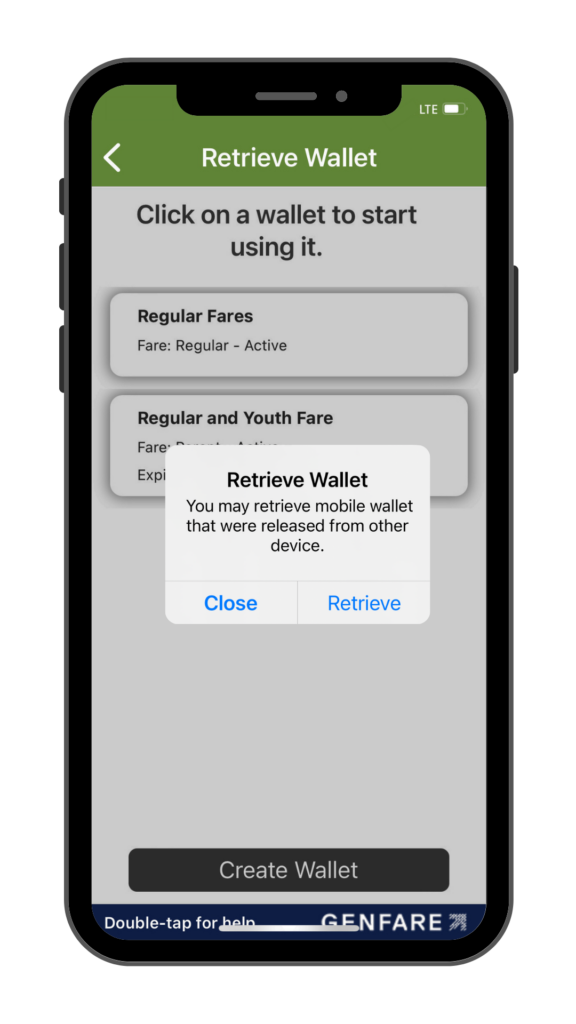
Tap “Retrieve” to attach the mobile wallet to your new device and begin using it.
Please note: If your mobile wallet is in use on a different device, you cannot attach it to your device without having it released first.
Your Ride Ready by GMT account will be disabled upon exit from the University of Vermont Medical Center.